

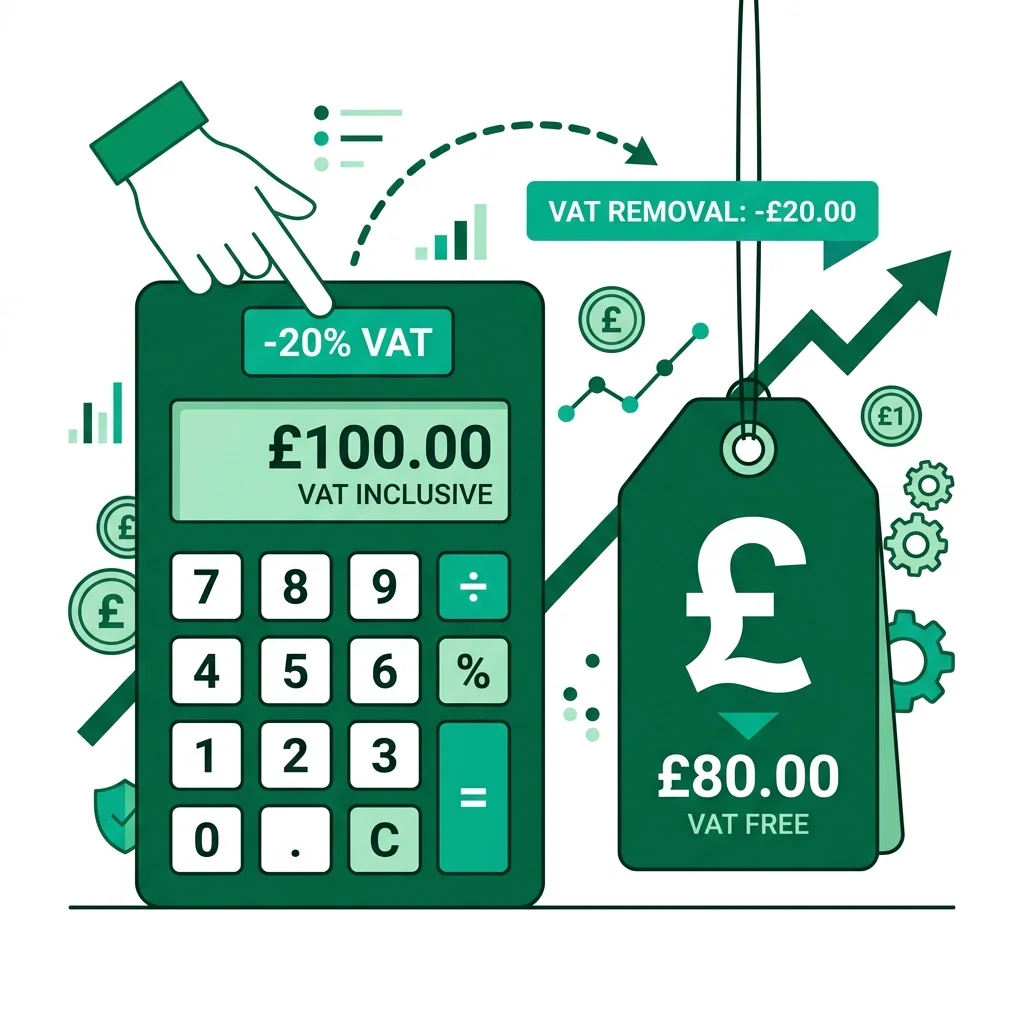
You have an invoice for £1,200 and your accountant needs the VAT split out separately. Or you paid £179.99 for something and want to know exactly how much of that went to HMRC. The formula is straightforward once you know it — and once you see the common mistake most people make, you will never get it wrong again.
The Reverse VAT Formulas
FORMULA 1 — Remove VAT from a VAT-inclusive price (reverse):
VAT-exclusive price = VAT-inclusive price ÷ (1 + VAT rate as a decimal)
VAT amount = VAT-inclusive price - VAT-exclusive price
Example with real numbers (Standard 20% VAT):
- Total paid (inc VAT) = £120.00
- VAT rate = 20% (0.20)
- VAT-exclusive price = £120.00 ÷ 1.20 = £100.00
- VAT amount = £120.00 - £100.00 = £20.00
FORMULA 2 — Add VAT to a net price (forward):
VAT-inclusive price = Net price × 1.20
VAT amount = Net price × 0.20
Step-by-Step: How to Remove VAT From a Price
Manually calculating VAT backwards is not hard, but it does require following the steps in exact order to ensure accuracy for your accounts.
Step 1: Confirm the VAT rate
Determine whether the item falls under the standard 20% rate, the reduced 5% rate, or the zero 0% rate. For the £120 example, we assume standard 20% VAT applies, which is the most common rate across the UK.
Step 2: Add 1 to the VAT rate as a decimal
Convert your VAT percentage to decimal format. 20% becomes 0.20, and 5% becomes 0.05. Add the number 1. If your rate is 20%, your division number becomes 1.20. If your rate is 5%, your division number becomes 1.05.
Step 3: Divide the gross price by that number
Take your final, VAT-inclusive price and divide it by the divisor. Taking £120 and dividing by 1.20 gives a perfect result of £100 — your pure net price stripped of all tax overhead.
Step 4: Subtract to find the VAT amount
Finally, subtract your net price from the original gross total. £120 minus £100 equals £20. The method applies to how to remove tax from a total price anywhere in the world, adjusted for local rates.
The Most Common VAT Calculation Mistake
When faced with a £120 invoice, the immediate human reaction is to either divide by 20, or simply find 20% of the final total. Both are wrong.
Why this does not work
Dividing by 20 (wrong):
£120 ÷ 20 = £6. This is entirely incorrect.
Multiplying by 20% (wrong):
£120 × 20% = £24. Wrong — VAT was not calculated on £120. It was calculated on the net price.
The Correct Method:
£120 ÷ 1.20 = £100 net. £120 - £100 = £20 VAT. Use our reverse VAT calculator to verify all your numbers instantly.
UK VAT Rates — Standard, Reduced and Zero (2026)
| VAT Rate | Rate | Divisor | What it applies to |
|---|---|---|---|
| Standard | 20% | ÷ 1.20 | Most goods and services, electronics, clothing (adult), alcohol, petrol |
| Reduced | 5% | ÷ 1.05 | Home energy (gas/electric), children's car seats, mobility aids |
| Zero | 0% | ÷ 1.00 | Children's clothing/shoes, most food, books, newspapers, prescription medicines |
| Exempt | N/A | N/A | Insurance, finance services, education, health services |
Worked Examples for Common VAT Situations
Example 1 — Consumer (Standard 20%)
A consumer pays £179.99 for a laptop inc. 20% VAT
Net price: £179.99 ÷ 1.20 = £149.99
VAT paid: £179.99 - £149.99 = £30.00
Example 2 — Freelancer Invoice (20%)
A freelancer invoiced £600 inc. 20% VAT
Net: £600 ÷ 1.20 = £500.00
VAT to remit to HMRC: £100.00
Example 3 — Home Energy Bill (Reduced 5%)
An energy bill total: £210 inc. 5% VAT
Net: £210 ÷ 1.05 = £200.00
VAT element: £210 - £200 = £10.00
Extract VAT Without the Math
Open CalculatorVAT for Freelancers and Small Businesses
Once your annual turnover crests the current 2026 £90,000 VAT registration threshold, the extra 20% you bill clients is emphatically not your income — it belongs to HMRC. You must diligently hold these collected funds in a separate ledger account until your quarterly VAT returns are due.
Understanding how this financial balance behaves is as essential as looking closer at how UK taxes compare to the US for freelancers planning overseas moves.
Frequently Asked Questions
How do I remove 20% VAT from a price in the UK?
To remove a 20% VAT from any price in the UK, you divide the final total amount by 1.20. For example, if your final bill is £240, dividing £240 by 1.20 gives you a pre-VAT net amount of £200.
What is the formula for reverse VAT calculation?
The exact mathematical formula for a reverse VAT calculation is: Net Price = Gross Price ÷ (1 + VAT Rate as a decimal). Once you find the net price using this division, you subtract it from the total gross to find your exact VAT payment.
How do I calculate the VAT amount on an invoice?
You calculate the VAT amount on an invoice by first dividing the total figure by 1.20 (for standard 20% VAT) to discover the net amount. Then, subtract that net amount from your total invoice figure, leaving you with exactly the pounds and pence paid toward VAT.
What is the difference between zero-rated and VAT-exempt in the UK?
Zero-rated means the goods are still part of the VAT system but charged at 0%, allowing the seller to still reclaim input VAT on their own purchases. VAT-exempt means the goods sit completely outside the VAT system entirely, so sellers cannot reclaim any VAT on their associated business costs.
Do I need to charge VAT if I earn under £90,000?
No, you do not need to charge VAT if your rolling 12-month taxable turnover sits below the HMRC £90,000 threshold. You can voluntarily register for VAT below this threshold if it benefits your business, but it is not a strict legal requirement.
How do I remove 5% VAT from an energy bill?
To successfully remove a 5% reduced rate VAT from your home energy bill, you simply divide your total bill by 1.05. Taking a £105.00 bill and dividing it by 1.05 reveals your net underlying energy usage cost was exactly £100.00.
Why is dividing by 20 wrong when calculating VAT?
Dividing by 20 assumes that VAT is 1/20th of the final price, which is incorrect. A 20% VAT is originally added onto 100% of the net price, meaning the final total represents 120% of the base figure; therefore, to work backward, you must divide the total by 1.20.
Instead of second-guessing your arithmetic for your quarterly returns, bookmark our reverse VAT calculator to automate the process immediately. It is entirely free and handles both standard and reduced UK allocations.
Sources & Citations: Content verified against official guidelines from the IRS (US), HMRC (UK), and ATO (AU). Information is reviewed for accuracy prior to publication.
Free Calculator
Reverse Tax Calculator
Find the original pre-tax price from any total. Supports US sales tax by state, UK VAT, Australia GST, Canada GST/HST, and any custom rate.

Comments are coming soon. Have feedback? Contact us.